
Google Cloud's Dataplex Knowledge Catalog finally makes data products first-class objects you can find, understand, and request access to — no stale wiki page, no week-long access ticket. I wired up a handful of data products recently, and tested access through a fictional banking chat front end. Let's dive in!
Finding a data product
The catalog opens on natural-language search across every project you can see, with quick filters along the top. One of those filters is Data Products.
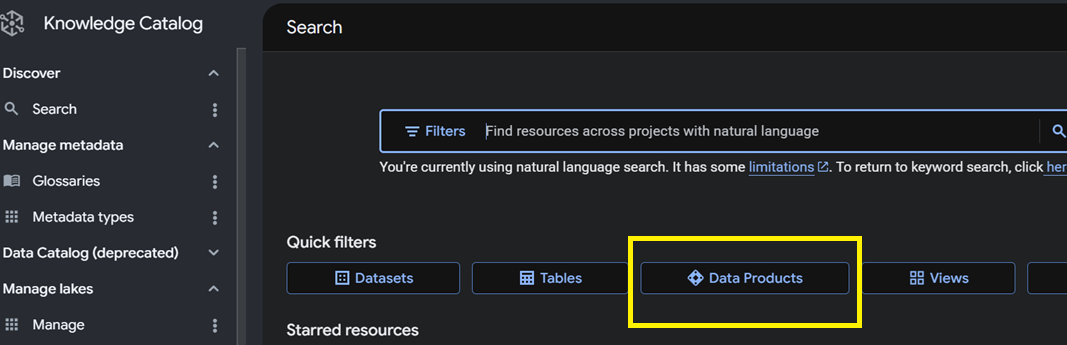
Filter to that type and you get the shelf: every certified product, its description, and the system it lives on. This is the first quiet win — a person who has never met your team can discover what exists and read a one-line description before pinging anyone.
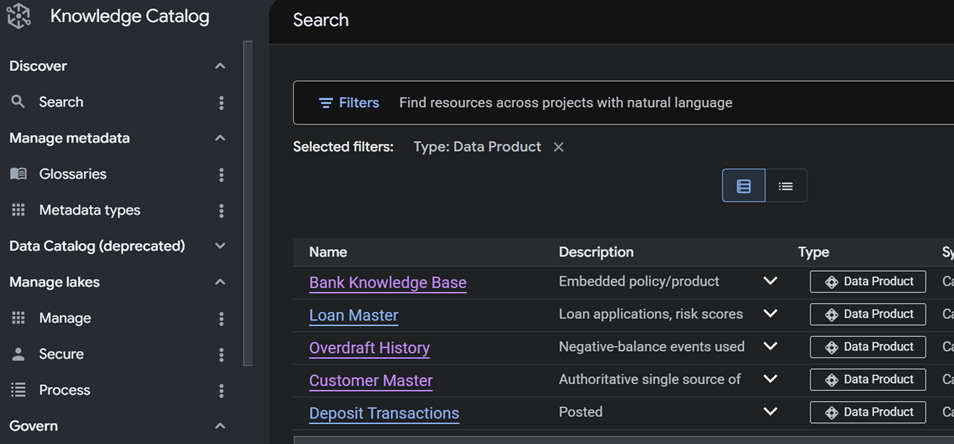
Describing it — the tabs that matter
Open a product and you land on Overview, with a tab bar that is the whole governance surface: Overview, Assets, Access groups & permissions, Access requests, Contract, Aspects, and Insights.
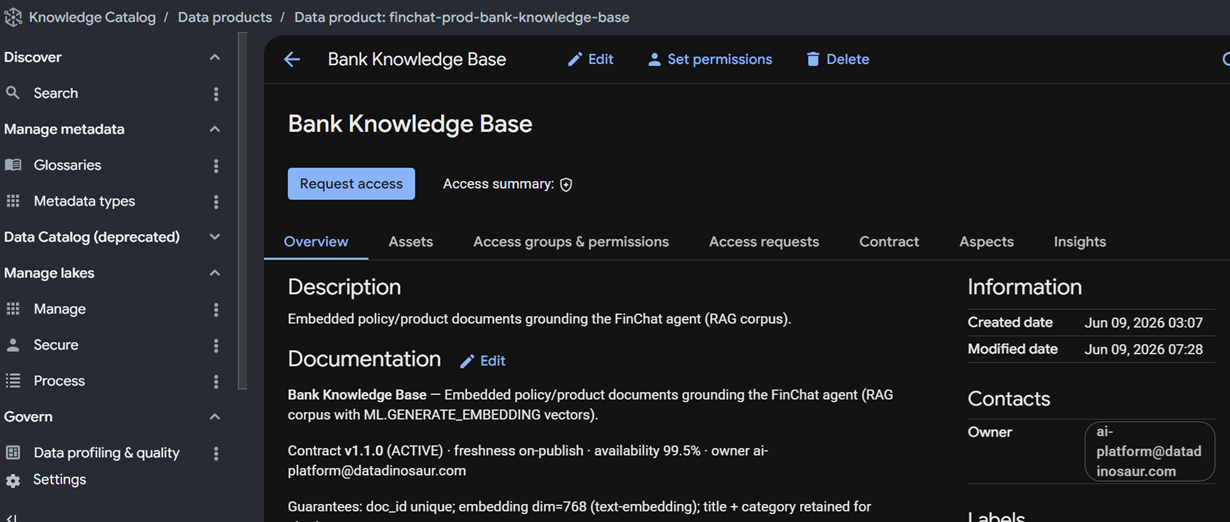
Overview carries the human story — description, documentation, a contract summary, the owner contact, and created/modified timestamps. Assets is the substance: the actual BigQuery tables and views the product is made of.
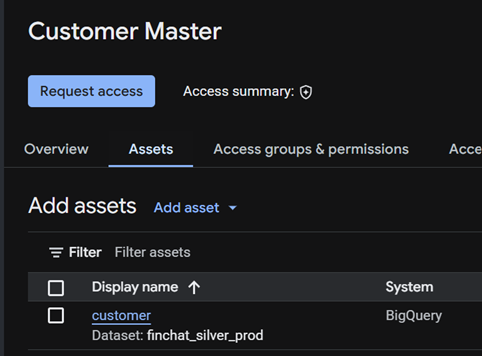
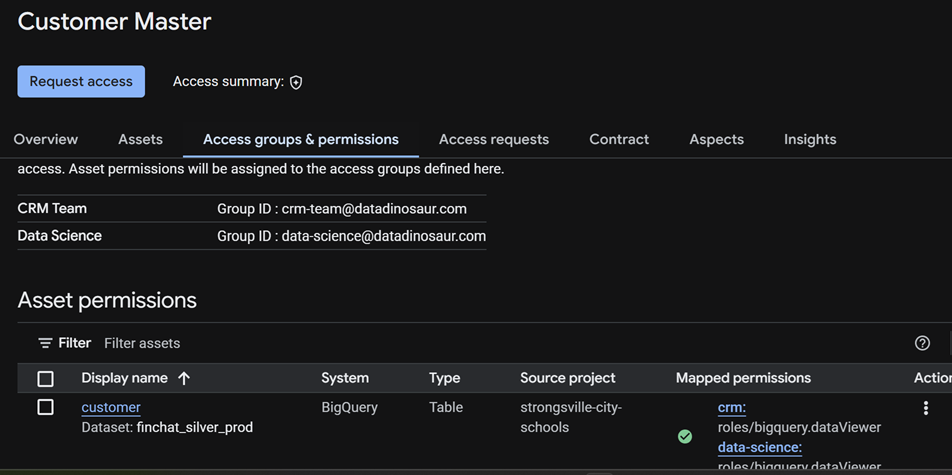
Access groups & permissions is where sharing gets defined. You declare named consumer groups, and each asset shows the IAM role mapped to each group. This is the bridge from "a product" to "an actual grant."
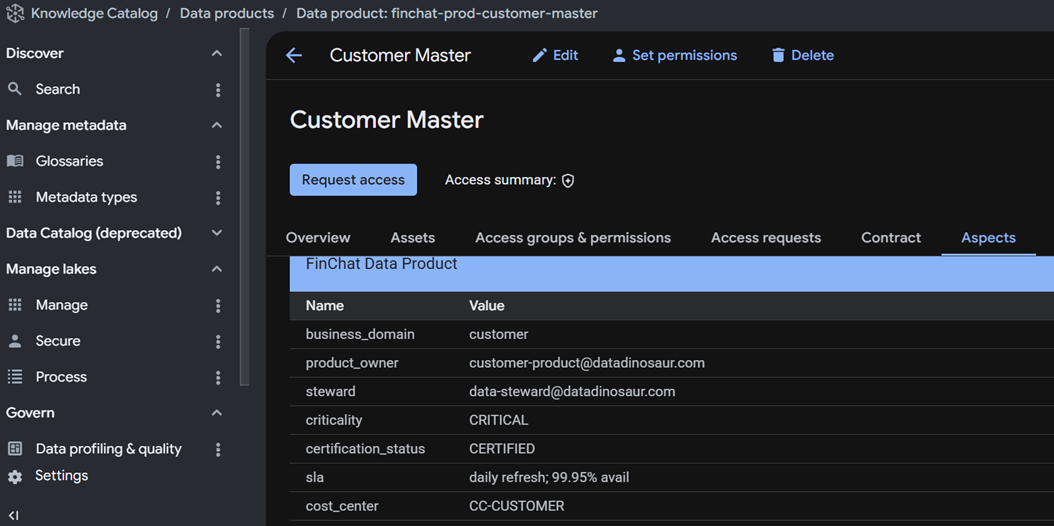
Aspects is the structured metadata — business domain, owner, steward, criticality, certification status, SLA, cost center. These are typed fields, not freeform tags, so you can govern and query them consistently across products.
Data quality, in the same place
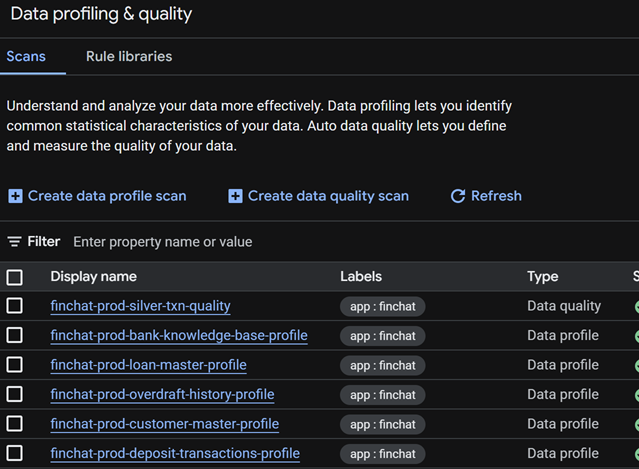
You can stand up Dataplex data-quality and profiling scans alongside the catalog, point them at a product's tables, and publish the results onto the entry. The latest scan score, pass/fail, and rows-profiled then surface on the product — and, usefully, in search results — so the certification badge is backed by an actual number rather than a promise. Two caveats: the Contract tab and the query-recommendation side of Insights are Google-managed and not writable through the API, so those you curate in the console.
Requesting and granting access
Here is the part that kills the ticket queue. A consumer hits Request access, picks the consumer group that fits, and writes a justification.
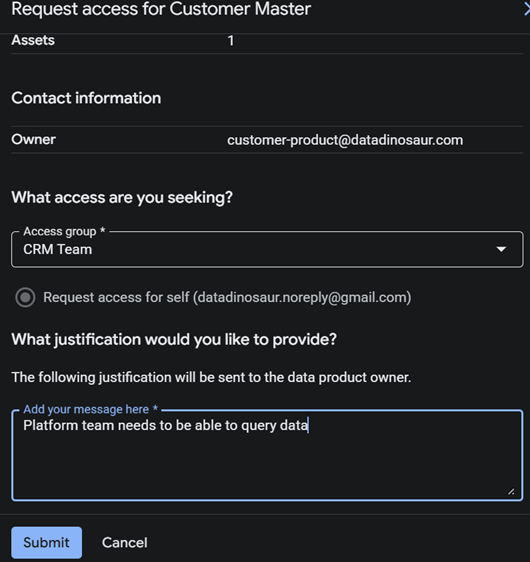
The owner sees it under Access requests and approves or rejects, with the justification attached for the audit trail.
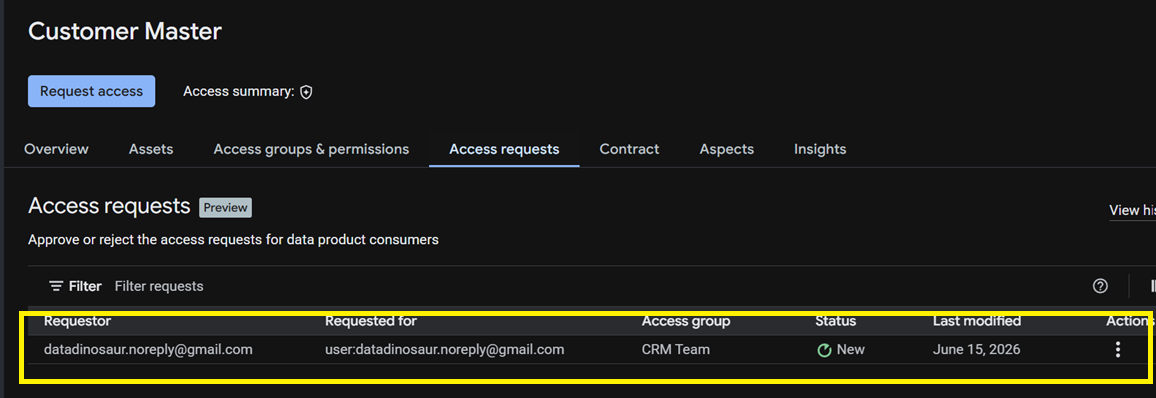
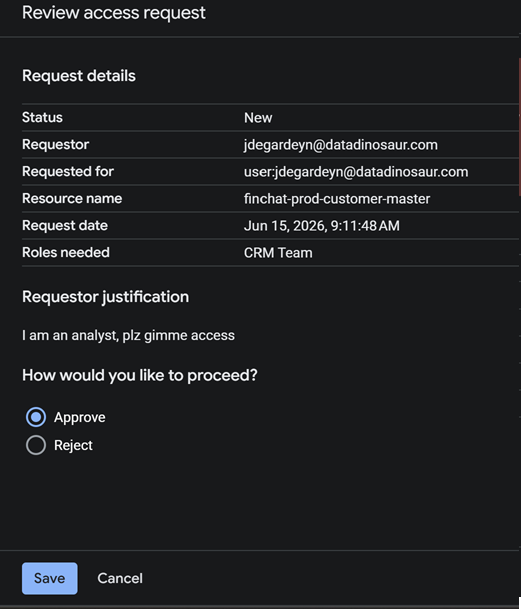
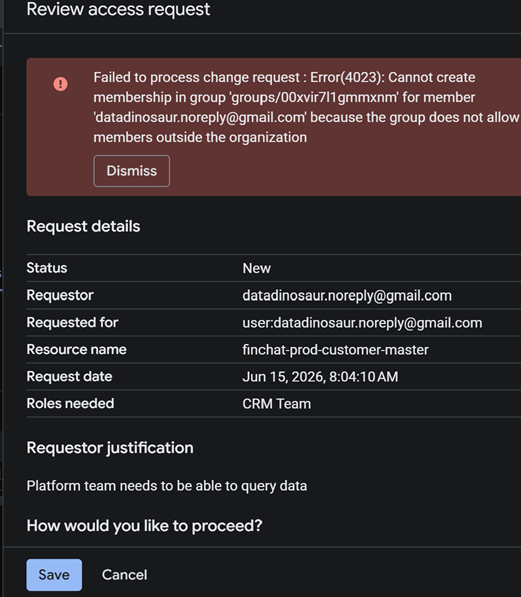
Approval drops the requester into the consumer group, which already holds the mapped read role — so membership is the grant. One important guardrail: those groups are organization-scoped, so you can only grant requests to principals inside your org. A request for an outside account fails outright rather than silently widening your perimeter.
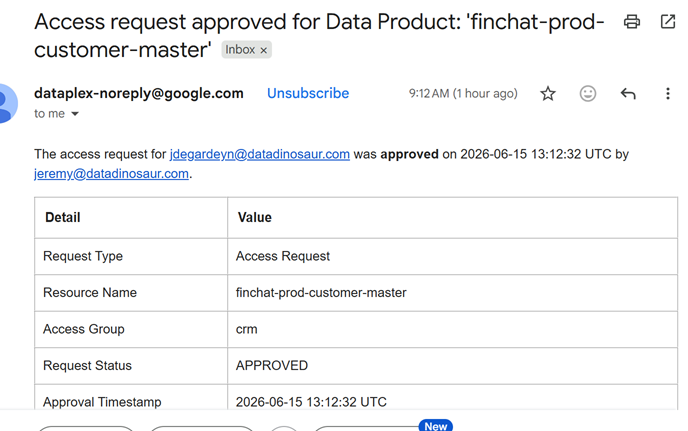
Approved consumers get an email confirming exactly what was granted, by whom, and when.
Exposing it in your own app
None of this has to live only in the cloud console. The catalog is API-addressable, so a front-end can let users discover products by description — pulling back domain, criticality, certification, contract version, data-quality, and owner for each hit.
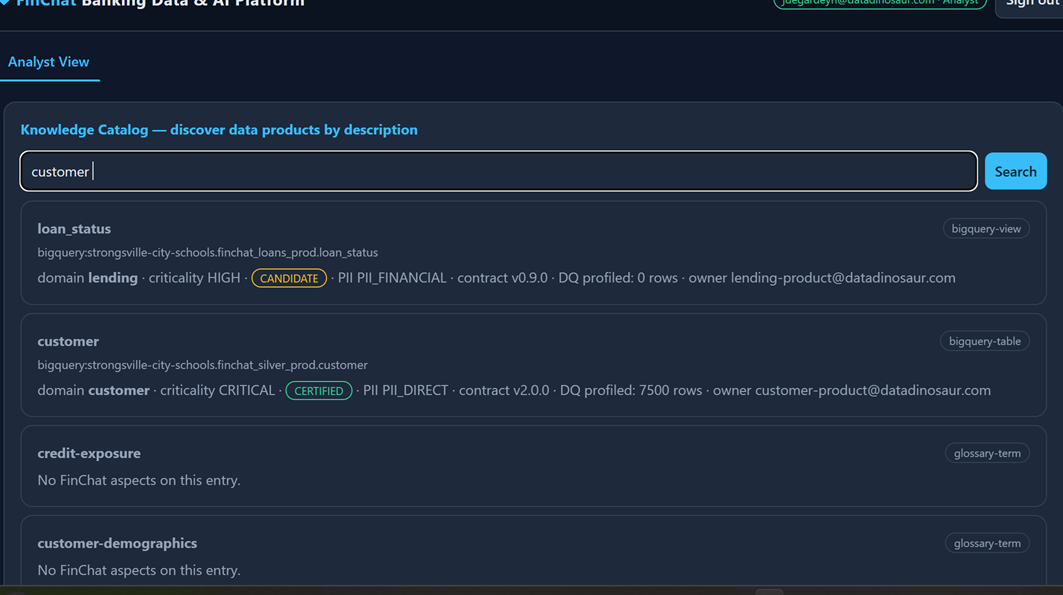
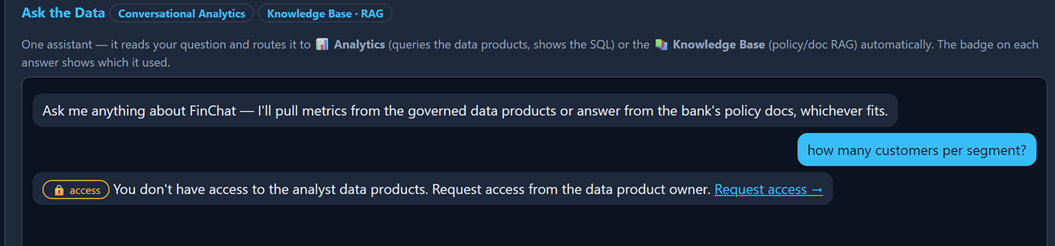
You can then gate features on the same product access. If a user lacks it, the app returns a friendly pointer to request it instead of a raw permission error.
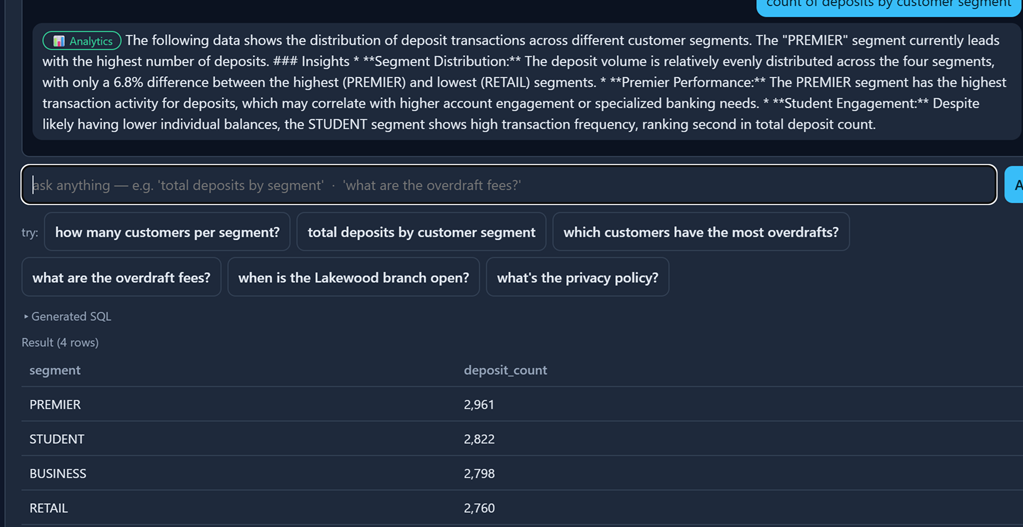
Once granted, the same question runs — here, deposit activity by customer segment, answered through conversational analytics over the governed products.
The masking gotcha nobody warns you about
If you protect columns with column-level security and dynamic masking, lower-privilege tiers see NULL for the masked fields — by design. The trap: a conversational-analytics agent reads those NULLs and confidently reports that the data is missing or the table is empty. It is not wrong about the NULLs; it is wrong about why. The fix is not an IAM change — it is a prompt change. You inject a masking directive into the system instruction before the question reaches the agent, telling it that NULLs in protected columns mean masked-at-your-access-level, and to answer with what is visible (counts, segments, distributions) instead of claiming the data is absent. Without that directive, your governance looks like a data outage.
Where this shines, and where it gets fuzzy
The wins are real: discoverability without tribal knowledge, self-serve request/approve with an audit trail, certification and data-quality in one pane, and access decoupled from hand-edited IAM. The friction shows up at the edges. A product that bundles tables from several domains has several rightful owners, so "who approves this request" gets blurry — overlapping assets and shared ownership are easy to model and hard to govern cleanly. And the tooling is early: there is no Terraform coverage yet, so most of this is set up through the REST API or the console, and the Contract and query-recommendation pieces are console-only for now.
None of that outweighs the core shift. The durable skill here was never writing the perfect data dictionary — it is making governed data findable and grantable by the people who need it, in a place they already are. That is the part AI can't paper over, and it is exactly where data engineers stay valuable.
0 Comments
Leave a Comment